On this page
- What is Parivar Register Nakal
- Parivar Register vs UP Family ID — The Confusion That Costs People Time
- Where You Need Parivar Register Nakal — 8 Specific Use Cases
- Three Ways to Get Parivar Register Nakal — Fee and Time Compared
- Documents Required
- How to Apply on eSathi — Step by Step
- What Happens After You Apply
- Validity — The 6-Month Official vs 3-Month Practical Reality
- How to Correct or Update the Physical Register
- Rural vs Urban — Different Administrative Chains
- 6 Common Rejection Reasons — And How to Avoid Each
- Frequently Asked Questions
- Quick Reference Table
What is Parivar Register Nakal
Parivar Register Nakal, also called Kutumb Register Nakal, is a certified copy of the official family record maintained at the Gram Panchayat level in rural areas and Nagar Palika level in urban areas across Uttar Pradesh. The physical register is a bound ledger kept in the office of the Gram Panchayat Secretary (Panchayat Sachiv) at the block level. What you apply for through eDistrict UP is a nakal — a digitally signed extract of your family's entry from that physical register.
Each family entry in the register records specific details: the family head's name, every member's full name, their relationship to the head, date of birth, gender, occupation, caste and sub-caste, and complete residential address. The register is maintained under the provisions of the UP Panchayat Raj Act, 1947, which governs all gram panchayat functions and record-keeping responsibilities in the state. India has approximately 250,000 gram panchayats, and each one maintains its own family register for the households in its jurisdiction.
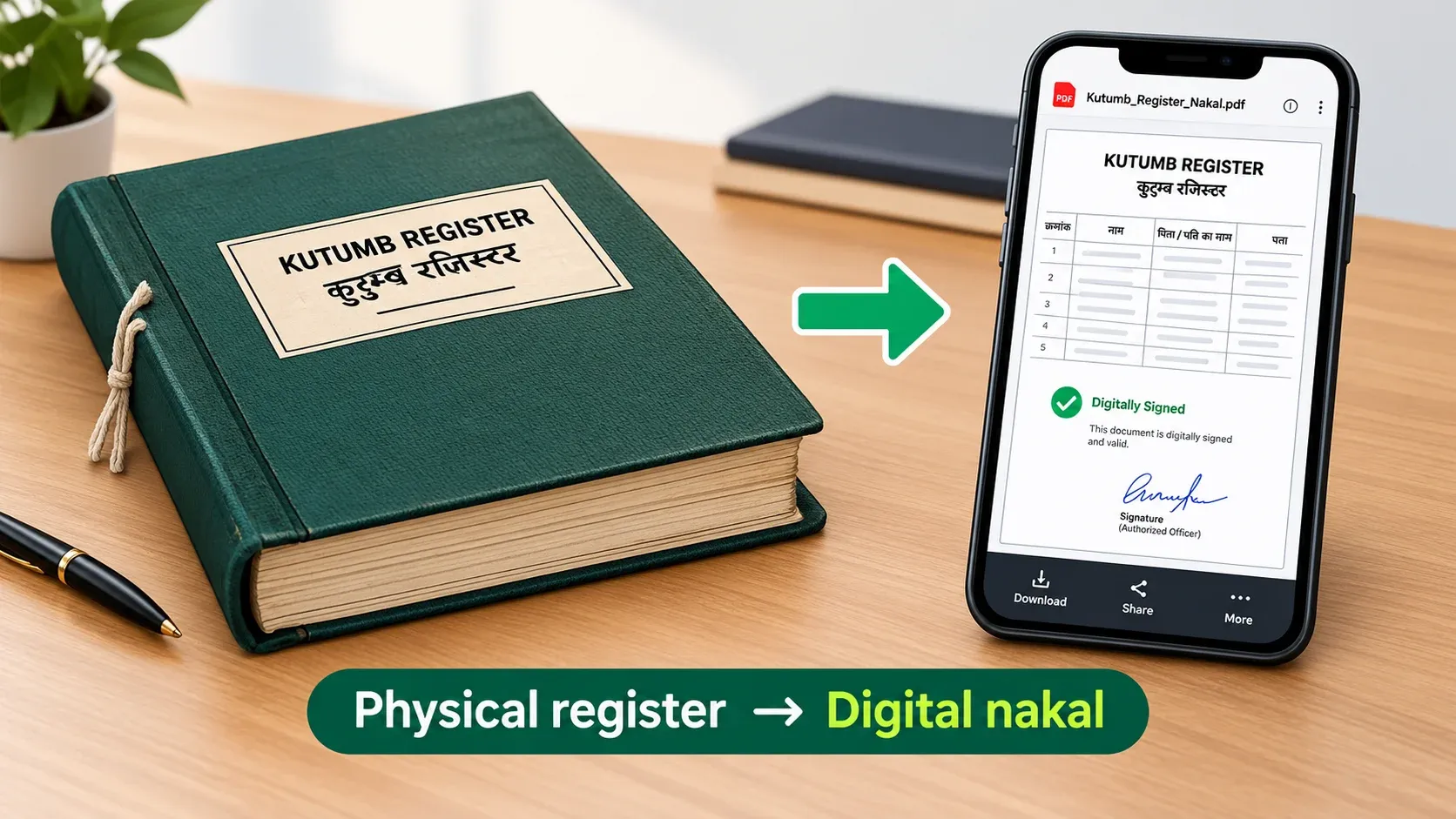
Historical Significance of the Register
Many physical registers in UP have entries dating back to the 1930s and 1940s — the pre-independence era. These old entries are not just historical records; they carry legal weight in specific situations. For SC/ST caste certificate applications, register entries from 1950 or earlier serve as the strongest proof of ancestral caste status. SDM offices across UP specifically ask for parivar register nakal with these old entries when verifying caste claims, because the entries predate modern documentation and are considered tamper-resistant evidence of a family's caste going back generations.
This is also why keeping the register updated matters practically. When a birth happens, a death occurs, or a marriage brings a new member into the household, the register should be updated. Government schemes, pension departments, ration card offices, and courts rely on this register to verify current family composition. An outdated register showing a deceased person as alive, or missing a legitimate family member, creates complications in every downstream process that depends on it.
Parivar Register vs UP Family ID — The Confusion That Costs People Time
This is the single biggest source of confusion in this space, and getting it wrong wastes trips, time, and money. The Parivar Register Nakal and the UP Family ID (Ek Parivar Ek Pahchan) are two completely separate systems run by different departments for different purposes.
Parivar Register
Decades old, panchayat record
Family ID
2023, 12-digit number
| Detail | Parivar Register Nakal | UP Family ID |
|---|---|---|
| What it is | Certified copy of traditional panchayat family ledger | New 12-digit digital household identifier |
| Portal | esathi.up.gov.in (Panchayati Raj Dept) | familyid.up.gov.in |
| Maintained by | Gram Panchayat Secretary | State IT Department |
| Exists since | Decades (physical ledger, some entries from 1930s) | February 2023 (digital) |
| Format | Digitally signed PDF with QR code | 12-digit unique number |
| Primary use | Legal proof of family composition | Government scheme eligibility and DBT |
| Coverage | — | 3.06 crore IDs, 12.63 crore beneficiaries |
Which one do you need? If someone asks for your "family register copy" for a ration card, pension, property succession, court case, or caste verification — they mean the Parivar Register Nakal from eSathi. If someone asks for your "Family ID" for a government scheme enrollment or benefit transfer — they mean the UP Family ID from familyid.up.gov.in. If you need a domicile certificate, the eSathi portal now requires Family ID as a mandatory field, but the domicile certificate itself is a separate document from both.
Where You Need Parivar Register Nakal — 8 Specific Use Cases
- Ration card application and update. The Food and Civil Supplies Department requires parivar register nakal when you apply for a new ration card or need to add or remove members from an existing one. The nakal proves family composition — who lives in the household, how many members, and their relationships.
- Pension claims. Old age pension (वृद्धावस्था पेंशन), widow pension (विधवा पेंशन), and disability pension applications reference the family register to verify the applicant's family status. Pension offices check whether other earning members exist in the household, which affects eligibility and pension amount under certain schemes.
- Property succession and Varasat. When a landowner dies, the revenue department needs parivar register nakal alongside the death certificate and legal heir certificate to process property mutation (Varasat). The nakal proves which family members are legal heirs and establishes their relationship to the deceased. Without it, the sub-registrar cannot determine who has rightful claim to the property.
- Court proceedings. In family disputes, maintenance cases, property litigation, and inheritance matters, courts across UP accept parivar register nakal as proof of family structure. It establishes who belongs to the family and what their relationships are — questions that come up frequently in succession and maintenance hearings.
- Caste certificate verification — the strongest evidence. This is something most people don't know. Parivar register entries from 1950 or earlier are considered the strongest proof for SC/ST caste verification in UP. When an SDM office processes a caste certificate application and needs to verify ancestral caste status, the first document they ask for is a parivar register nakal showing old entries. These pre-independence era entries are treated as more reliable than modern documents because they predate the systems that could be manipulated.
- Voter list addition and correction. When adding a name to the electoral roll or correcting existing voter details, the Election Commission may ask for parivar register nakal as supporting family proof alongside your application form.
- Government scheme eligibility. Various welfare schemes verify family composition through the register — number of members, earning members, dependents, children's education status, and whether the family falls below specific thresholds for scheme benefits.
- Domicile certificate supporting document. Some applicants use the parivar register nakal as additional proof of long-term residence in a particular village or ward when applying for a domicile certificate through eSathi.
Three Ways to Get Parivar Register Nakal — Fee and Time Compared
Most people know only one way — eSathi online. There are actually three channels, each with different fees and timelines.
| Channel | Fee | Processing Time | Best For |
|---|---|---|---|
| Direct from Gram Panchayat | ₹5 for 5 pages, ₹1 per additional page | 3 working days (Model Citizen Charter) | Fastest and cheapest option |
| eSathi online | ₹10–15 via PAYGOV | 7–15 working days | Convenience — apply from home |
| CSC (Jan Seva Kendra) | ₹30 + ₹30–50 facilitation | 7–15 working days | No internet or digital literacy |
Gram Panchayat3 days
eSathi online7–15 days
CSC7–15 days
The panchayat option is the least known. The Panchayati Raj Department's Model Citizen Charter mandates that parivar register nakal must be provided within 3 working days when you apply directly at the Gram Panchayat. The fee is ₹5 for five pages and ₹1 per additional page — significantly cheaper than both eSathi and CSC. The responsibility falls on the Gram Panchayat Secretary, with oversight from the Village Pradhan.
When the panchayat option doesn't work: If the Gram Panchayat Secretary is uncooperative or unavailable, or if you live far from your registered panchayat, eSathi is the practical alternative. The eSathi route produces a digitally signed PDF with a QR code, which some institutions prefer over the panchayat-issued physical copy.
Documents Required
The document requirements for parivar register nakal are minimal — one of the simplest applications on eSathi.
Aadhaar Card — Mandatory for e-KYC verification. Aadhaar OTP verification has been mandatory since 2026. Your mobile number must be linked to your Aadhaar in the UIDAI database. If your mobile number is not linked, update it at the nearest Aadhaar Seva Kendra before applying.
Ration Card — The primary reference document for family composition. It shows all members of the household, which the Gram Panchayat Secretary cross-checks against the physical register. If your ration card is outdated — missing recent births, deaths, or marriages — the register may not match your application details, leading to delays or rejection.
Passport Size Photograph — JPEG format, under 50KB. All other files must be under 100KB, JPEG or PDF.
You do not need your old parivar register number to apply. The system locates your family's entry based on your district, tehsil, and Gram Panchayat details. If you don't know your exact Gram Panchayat name, check your ration card, voter ID, or ask at the Block Development Office.
How to Apply on eSathi — Step by Step
- Step 1: Log in to eSathi at esathi.up.gov.in with your Login ID and password. Don't have an account? See our registration guide on the homepage.
- Step 2: On your dashboard, click "आवेदन भरें" (Fill Application).
- Step 3: Under service type, select "पंचायती राज विभाग" (Panchayati Raj Department). This is important — parivar register falls under Panchayati Raj, not the Revenue Department where income, caste, and domicile certificates are listed.
- Step 4: From the dropdown, select "कुटुम्ब रजिस्टर की नकल" (Kutumb Register Ki Nakal).
- Step 5: Click "कुटुम्ब रजिस्टर आवेदन के लिए क्लिक करें" (Click to apply for Kutumb Register).
- Step 6: Fill the application form — your name, father's name, mobile number, and complete address including district, tehsil, and Gram Panchayat. Some fields auto-fill from Aadhaar e-KYC. Make sure the Gram Panchayat name is correct — selecting the wrong one routes your application to a panchayat that has no record of your family.
- Step 7: Complete Aadhaar OTP verification. An OTP is sent to your Aadhaar-linked mobile number. Enter it to proceed. This step has been mandatory since 2026, and the application cannot be submitted without it.
- Step 8: Upload required documents — Aadhaar, ration card, and photograph. Each file under 100KB, JPEG or PDF format.
- Step 9: Pay ₹10–15 via PAYGOV (UPI, net banking, or debit card).
- Step 10: Submit and save your Service Request Number (SRN). Track your application on the status check section of our homepage using the SRN.
What Happens After You Apply
The verification process for parivar register nakal is different from revenue certificates. There is no Lekhpal field visit — the verification happens between the eSathi system and the Gram Panchayat records.
The system routes your application to the concerned Gram Panchayat or Nagar Palika based on the location details you entered. The Gram Panchayat Secretary (or the relevant urban authority) cross-checks your application against the family's entry in the physical register. If the details match, the entry is digitised and a certified copy is generated as a digitally signed PDF. If discrepancies exist between your application and the physical register, the application may be returned for correction or flagged for clarification.
Processing takes 7–15 working days through eSathi. Straightforward cases where the register is already digitised and details match can process in 3–5 days. The completed nakal is available for download in your eSathi dashboard and through DigiLocker (digilocker.gov.in).
Validity — The 6-Month Official vs 3-Month Practical Reality
The parivar register nakal has an official validity of 6 months from the date of issue. However, the practical reality is more restrictive, and not knowing this causes wasted applications and rejected submissions.
Courts, property registration offices, and pension departments across UP frequently reject copies that are more than 3 months old — even though the official validity is 6 months. The reasoning is that family composition can change at any time through births, deaths, marriages, or members migrating, and institutions want the most current picture. Banks typically want the most recent copy available for succession-related transactions. Ration card offices are the most lenient, generally accepting copies up to the full 6-month validity.
Practical advice: If you need the parivar register nakal for a specific purpose — a court hearing, pension application, property succession filing, or any submission with a deadline — apply for it 2–3 weeks before your planned submission date. Getting it months in advance risks having to apply again when the institution rejects it as too old.
How to Correct or Update the Physical Register
This is where most people get stuck, because the correction process does not happen online. The eSathi portal only provides a copy of what exists in the physical register at the Gram Panchayat. If the physical register has errors, the digital copy will have the same errors. The source must be fixed first.
- 1Error found in register
- 2Visit Gram Panchayat Secretary
- 3Secretary corrects physical register
- 4Apply online for fresh nakal
- 5Updated digital copy
Adding a New Family Member
When a child is born or a new member joins the household through marriage, visit the Gram Panchayat Secretary in person. Bring the child's birth certificate for a newborn or the marriage certificate for a newly married member. The Secretary updates the physical register with the new entry. After the physical register is updated, any new nakal you apply for online will reflect the change.
Removing a Deceased Member
When a family member passes away, visit the Gram Panchayat Secretary with the death certificate. The Secretary marks the member as deceased in the register. Getting this done promptly matters — an outdated register showing a deceased person as alive creates complications in pension claims, property succession, ration card updates, and Varasat proceedings.
Correcting Name, Date of Birth, or Other Details
Name errors are extremely common in parivar registers, especially for older entries. Pre-independence registers often recorded names without surnames — "Ram Prasad s/o Devi Baksh" — while the same person's modern Aadhaar card shows "Ram Prasad Yadav." This mismatch between old register naming conventions and current Aadhaar-era names creates problems during caste verification and property succession where both documents are referenced together.
To correct a name or date of birth, visit the Gram Panchayat Secretary with your Aadhaar card and any other supporting documents that show the correct details (voter ID, school records, existing certificates). The Secretary makes the correction in the physical register. Then apply for a fresh nakal online to get the updated copy.
When Your Family Has No Entry in the Register
This happens more often than people expect — particularly for families who migrated between villages, or for households that were missed during the original register compilation decades ago. If the physical register has no entry for your family at all, the process is: file a written application to the Gram Panchayat Secretary requesting a new entry. The Secretary verifies through the Village Pradhan and local community inquiry, creates a new entry in the register, and then you can apply online for a nakal of the newly created entry.
When the Secretary Doesn't Cooperate
If the Gram Panchayat Secretary is unresponsive, uncooperative, or demanding unofficial payments for corrections, you have a clear escalation path. First, approach the Village Pradhan (Gram Pradhan), who has administrative authority over the Secretary. If the Pradhan doesn't resolve it, escalate to the Assistant Development Officer (ADO) at the block level. The final escalation is to the District Panchayati Raj Officer (DPRO), who has disciplinary oversight over all panchayat-level officials in the district. You can also file a grievance on the eDistrict portal (edistrict.up.gov.in → Login → Grievance/शिकायत).
Rural vs Urban — Different Administrative Chains
The register maintenance structure differs based on whether you live in a rural or urban area, and selecting the wrong one during your eSathi application causes routing errors.
Rural areas (Gram Panchayat): The Kutumb Register is maintained by the Gram Panchayat Secretary under the Panchayati Raj Department. Corrections go through the Secretary, with oversight from the Pradhan and the ADO at block level. This covers villages and gram panchayat areas across all 75 districts of UP.
Urban areas (Nagar Palika / Nagar Nigam): The family register in urban areas is maintained by the municipal body — Nagar Palika (for smaller towns) or Nagar Nigam (for cities like Lucknow, Kanpur, Varanasi, Agra). The administrative chain is different — corrections go through the municipal office, not the panchayat system. When applying on eSathi, select "Urban" (नगरीय) to ensure the application routes to the correct authority.
6 Common Rejection Reasons — And How to Avoid Each
- 1. Application details don't match the physical register. The names, dates of birth, or number of family members in your eSathi application don't match what the Gram Panchayat Secretary finds in the physical register. Before applying online, visit your Gram Panchayat and verify your family's current entry. If there are discrepancies, get them corrected at the panchayat level first, then apply online.
- 2. Wrong Gram Panchayat selected in the form. You chose the wrong panchayat, tehsil, or block from the dropdown menus, so the system sent your application to a panchayat where your family has no record. Verify your exact Gram Panchayat name from your ration card, voter ID, or by checking with the Block Development Office before starting the application.
- 3. Aadhaar OTP verification failed. Since 2026, Aadhaar OTP is mandatory for parivar register applications. If your mobile number is not linked to your Aadhaar in the UIDAI database, the OTP step fails and the application cannot be submitted. Update your Aadhaar-linked mobile number at the nearest Aadhaar Seva Kendra before applying.
- 4. Applicant not listed as a family member in the register. The application ideally comes from the registered head of the family or an adult member listed in the register. If you recently joined the household through marriage and haven't been added to the register yet, your application may be flagged. Get yourself added to the physical register through the Gram Panchayat Secretary first.
- 5. Physical register entry is missing or incomplete. The Gram Panchayat has no record of your family, or the entry is so old and damaged that details are unreadable. For missing entries, file a written application for a new entry at the panchayat. For damaged records, provide supporting documents (ration card, voter ID, Aadhaar) to help the Secretary reconstruct the entry.
- 6. Ration card details don't match the register. Your ration card shows different family members than the register — perhaps because births, deaths, or marriages were updated on the ration card but not in the kutumb register, or vice versa. Align both documents before applying by updating whichever one is outdated.
Frequently Asked Questions
What exactly is the Parivar Register Nakal, and how is it different from a ration card?
The Parivar Register Nakal is a certified copy of the official family record maintained at the Gram Panchayat or Nagar Palika level. It lists every family member with their name, relationship to the head, date of birth, and other details. A ration card also shows family members, but it is issued by the Food and Civil Supplies Department for food distribution purposes. The parivar register carries more legal weight in courts, property cases, and pension applications because it is a panchayat-level official record maintained under the UP Panchayat Raj Act, 1947.
#Is Parivar Register Nakal the same as UP Family ID?
No, they are completely different systems. The Parivar Register Nakal is a copy of the traditional panchayat family ledger that has existed for decades, applied through eSathi under the Panchayati Raj Department. The UP Family ID (Ek Parivar Ek Pahchan) is a separate 12-digit digital identification number launched in February 2023, applied through familyid.up.gov.in. Both serve different purposes — the register is for legal proof of family composition, the Family ID is for scheme eligibility and direct benefit transfer.
#Can I get the nakal directly from the Gram Panchayat instead of eSathi?
Yes, and it is actually faster and cheaper. The Panchayati Raj Department's Model Citizen Charter mandates that parivar register nakal must be provided within 3 working days when you apply directly at the Gram Panchayat. The fee is ₹5 for five pages and ₹1 per additional page. Visit the Gram Panchayat Secretary with your identity proof and request a copy.
#How long is the Parivar Register Nakal valid?
The official validity is 6 months from the date of issue. However, courts, pension offices, and property registration authorities in UP frequently reject copies older than 3 months, even though they are technically within the validity period. If you need the nakal for a specific submission, apply 2–3 weeks before your deadline rather than months in advance.
#My name is wrong in the parivar register. How do I correct it?
All corrections happen at the physical register level first, not online. Visit your Gram Panchayat Secretary with your Aadhaar card and supporting documents showing the correct name. The Secretary corrects the physical register entry. After correction, apply for a fresh nakal on eSathi to get the updated digital copy. Online correction is not available — the eSathi system only provides copies of what exists in the physical register.
#My family has no entry in the parivar register at all. What do I do?
This happens when families migrated between villages or were missed during the original register compilation. File a written application to your Gram Panchayat Secretary requesting a new entry. The Secretary verifies through the Village Pradhan and local inquiry, creates a new entry, and then you can apply for a nakal of the new entry through eSathi.
#Can the parivar register be used as proof for a caste certificate?
Yes, and it is considered the strongest proof for SC/ST caste verification. Register entries from 1950 or earlier demonstrate ancestral caste status that predates modern documentation. SDM offices across UP specifically request parivar register nakal with old entries when processing SC/ST caste certificate applications.
#What if the Gram Panchayat Secretary refuses to cooperate?
You have a clear escalation path. First approach the Village Pradhan, who has administrative authority over the Secretary. If unresolved, escalate to the Assistant Development Officer (ADO) at the block level. The final step is the District Panchayati Raj Officer (DPRO), who has disciplinary oversight over all panchayat officials. You can also file a grievance on edistrict.up.gov.in through the portal's complaint section.
#Is Aadhaar OTP mandatory for applying?
Yes, since 2026. Your mobile number must be linked to your Aadhaar in the UIDAI database. Without successful OTP verification, the eSathi application for parivar register nakal cannot be submitted. If your number is not linked, update it at the nearest Aadhaar Seva Kendra before applying.
#How many copies should I get?
Unlike certificates which can be downloaded unlimited times from eSathi, the parivar register nakal is generated per application. If you need the nakal for multiple purposes — court, pension, property, ration card — you may need to apply separately or print multiple copies of the downloaded PDF. Each printed copy from the digitally signed PDF is equally valid because the QR code and digital signature remain verifiable.
#No matching questions.
Quick Reference Table
| Detail | Information |
|---|---|
| Document name | परिवार रजिस्टर नकल / कुटुम्ब रजिस्टर नकल |
| Also called | Kutumb Register, Family Register, Parivar Register Copy |
| Department | Panchayati Raj |
| Maintained by | Gram Panchayat Secretary (rural), Nagar Palika (urban) |
| Legal basis | UP Panchayat Raj Act, 1947 |
| Apply online | esathi.up.gov.in |
| eSathi fee | ₹10–15 |
| Panchayat direct fee | ₹5 for 5 pages |
| CSC fee | ₹30 + facilitation |
| eSathi processing | 7–15 working days |
| Panchayat processing | 3 working days (Model Citizen Charter) |
| Official validity | 6 months |
| Practical validity | 3 months (courts, pension, property) |
| Aadhaar OTP | Mandatory since 2026 |
| Corrections | Visit Gram Panchayat Secretary (physical register first) |
| Escalation path | Secretary → Pradhan → ADO → DPRO |
| UP Family ID (different) | familyid.up.gov.in |
| Helpline | 0522-2304706 |